Update Composite Episode Stacked NOLA in BV
Precondition –
- Users have RL access
- Users have BV access
- New episode is created in RL and BV
- Users are assigned on tno-stackedepisode-update-prod Slack Channel
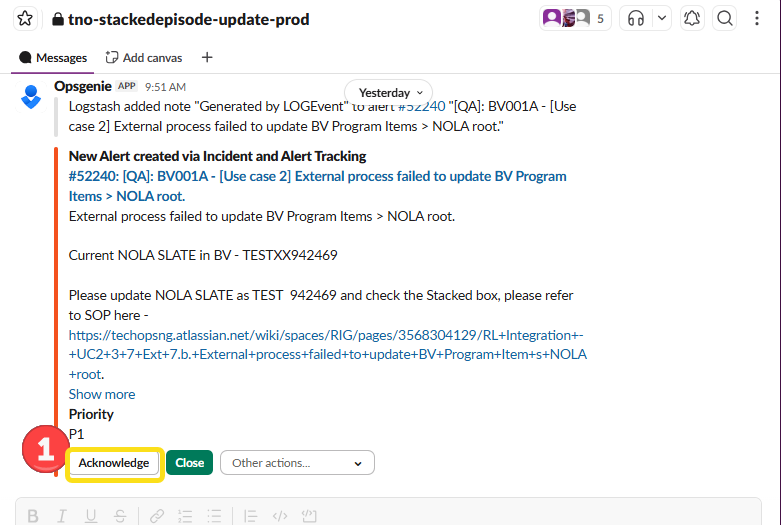
- Alert is received in the Slack channel
Action | Steps |
1. User clicks on Acknolwedge on the alert in tno-stackedepisode-update-prod Slack channel. |
|
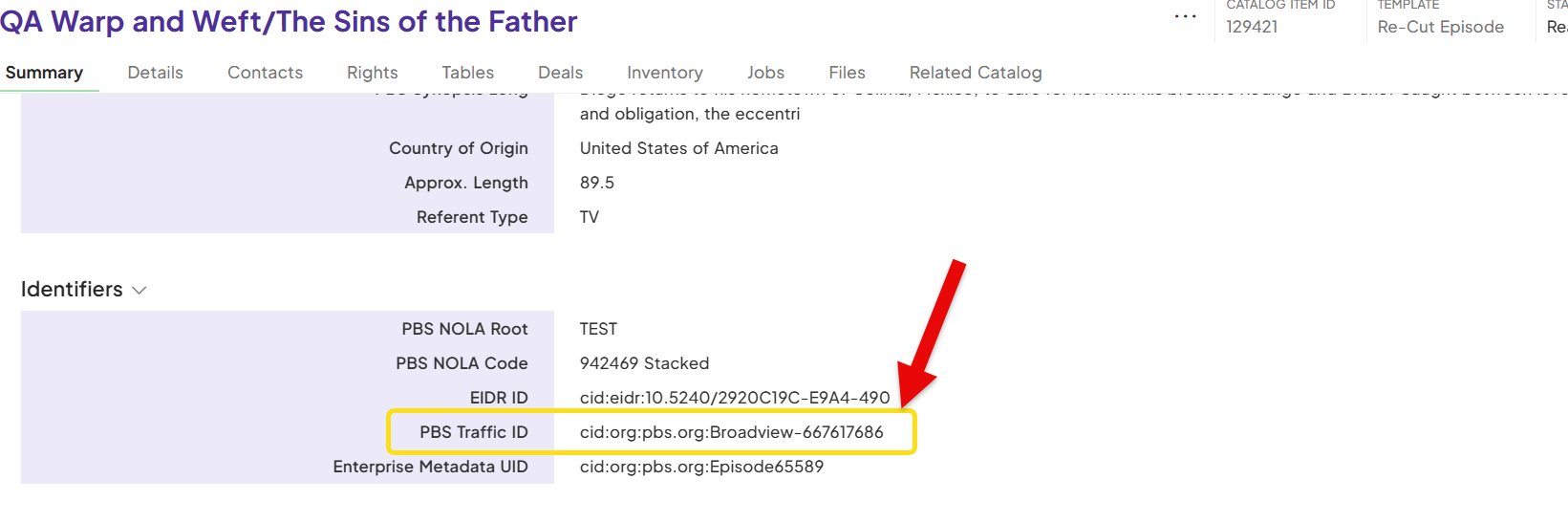
2. Open Rightsline. Access Catalog section and perform Advance Search using NOLA Information in the alert ( PBS NOLA Root and PBS NOLA Code). **Note: You can also use the PBS NOLA Code to search for Episode Slate directly in Broadview. | 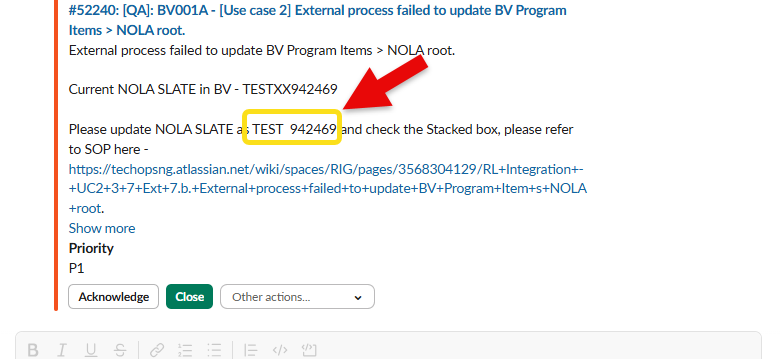 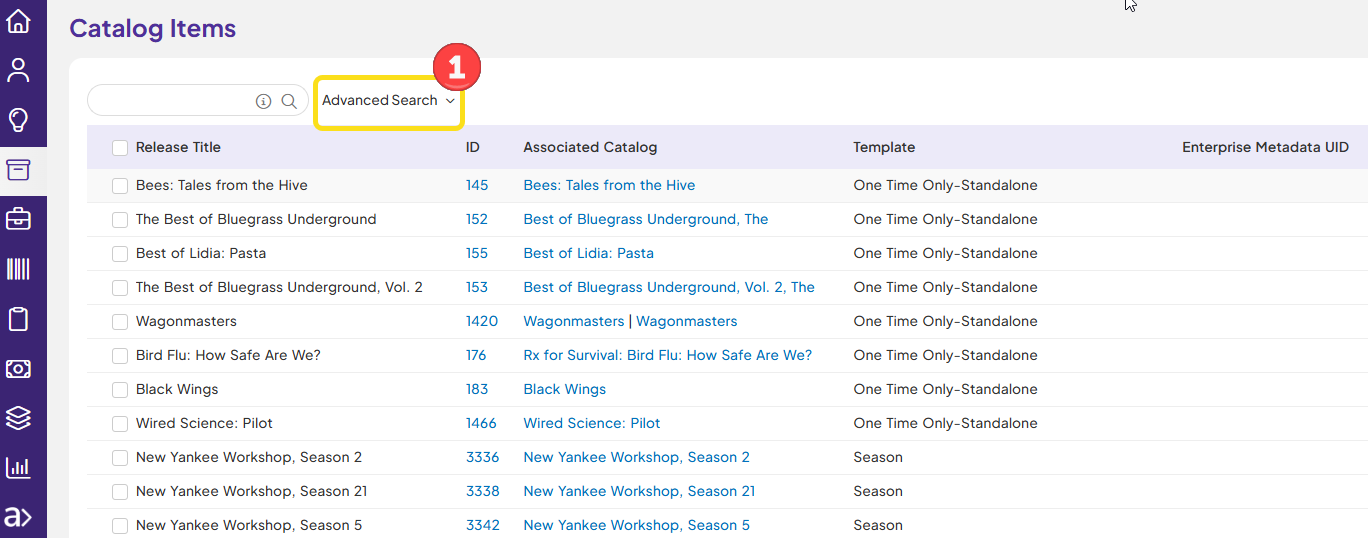 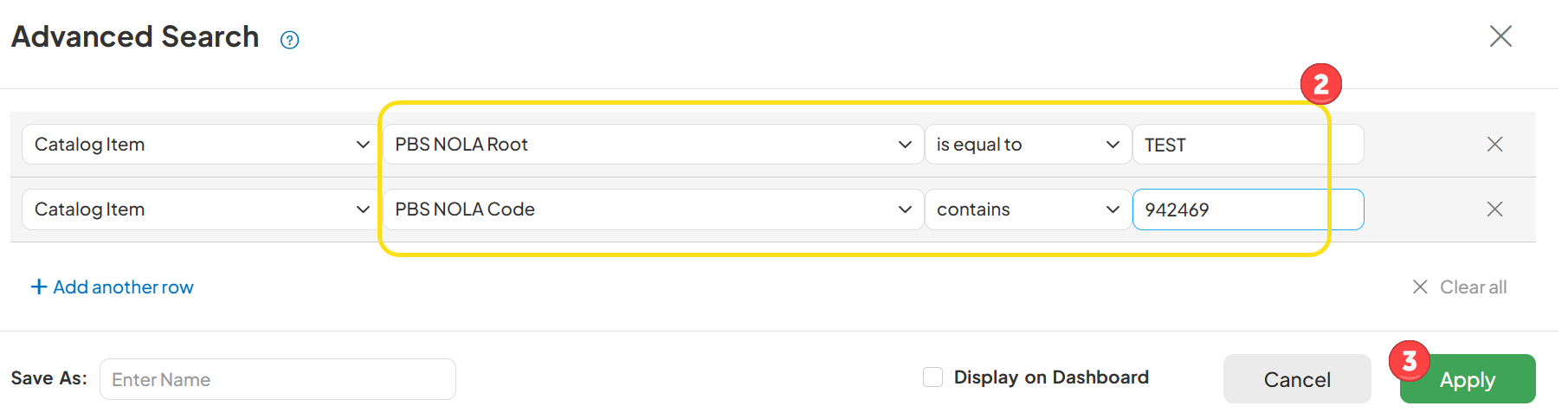 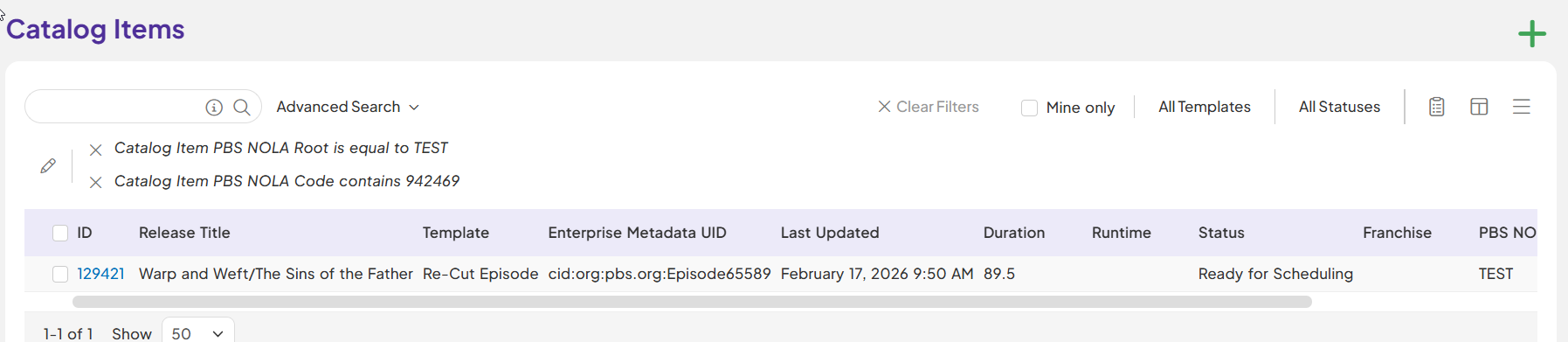 |
3. Open the catalog and locate BV ID. |
|
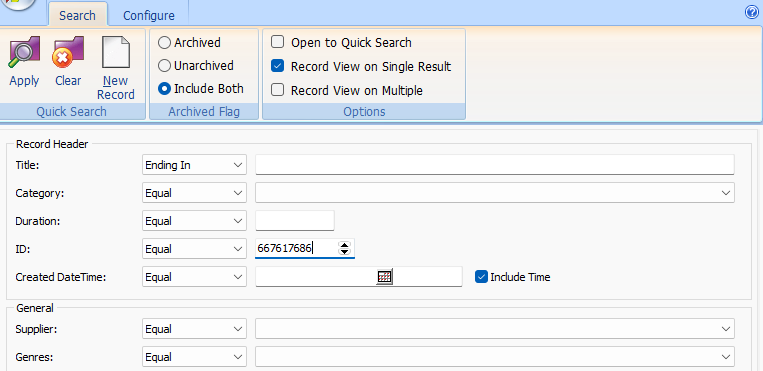
4. Open Broadview and search for the record. | Using NOLA info: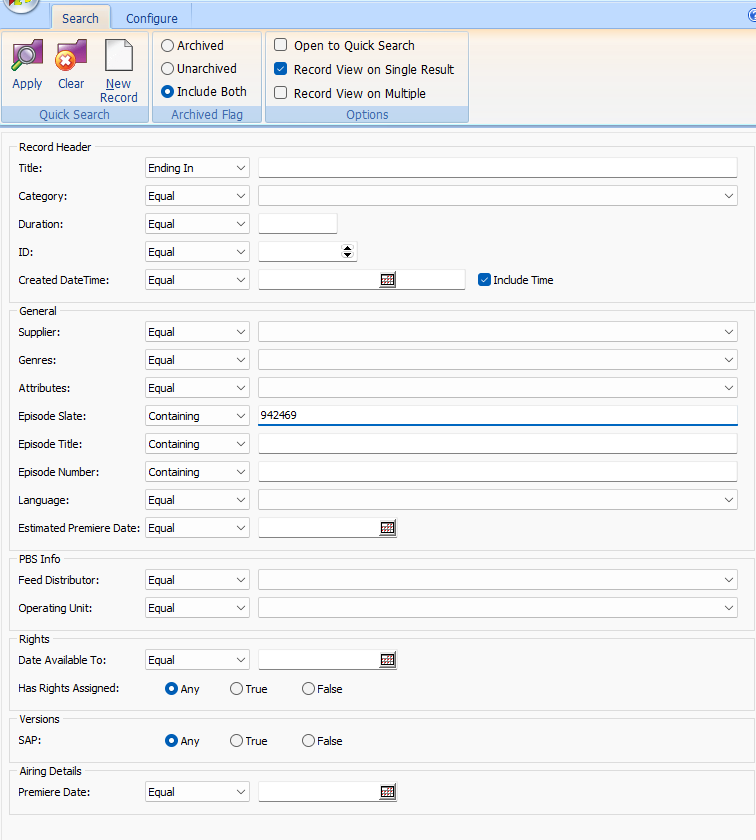 Using Broadview ID:
|
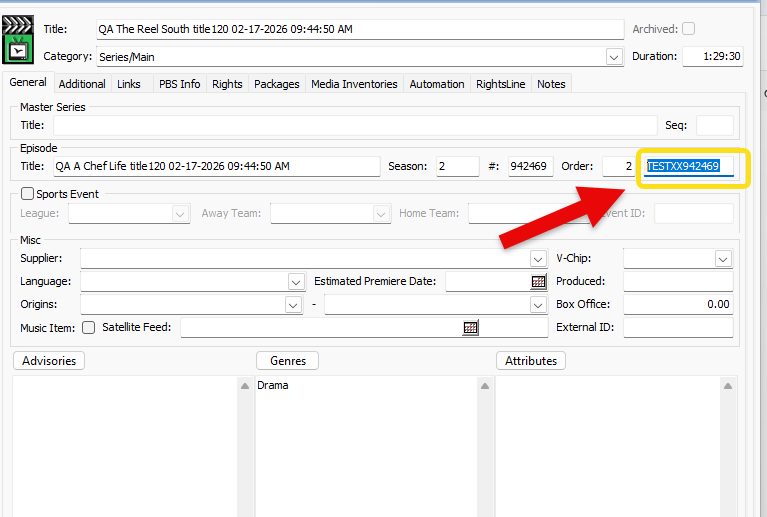
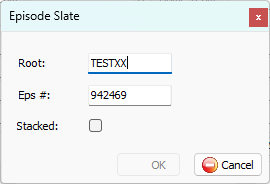
5. Locate NOLA information and open. |
|
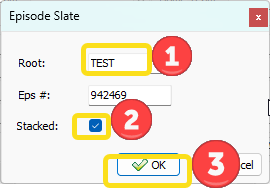
6. Remove Extra Letters (XX) that were added to the NOLA Root. Check 'Stacked'. Click Ok. |
|
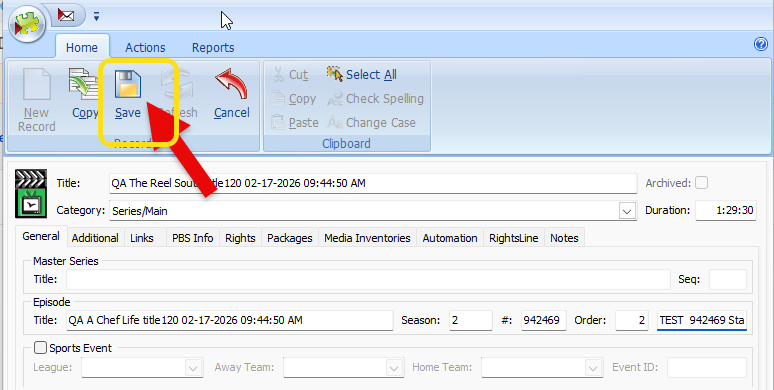
7. Click on Save. |
|
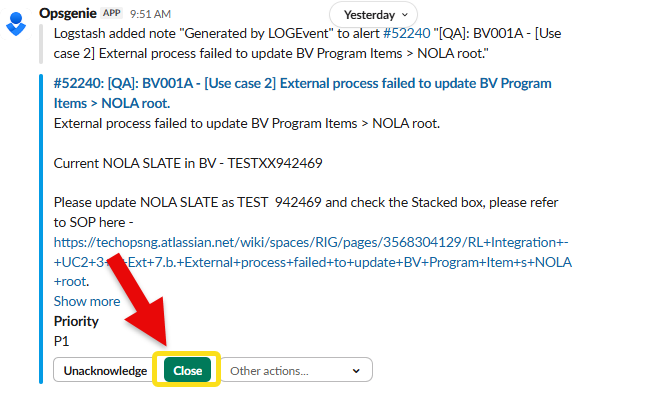
8. Go back to the alert in Slack. Close the alert. |
|