PURPOSE
To bulk create records in Rightsline
TOOLS NEEDED
Rightsline account.
PREREQUISITES
Deal exists.
PROCEDURE
| Step | Description | Why | |
| 1 |
| ||
| 2 | Go to Data Tools.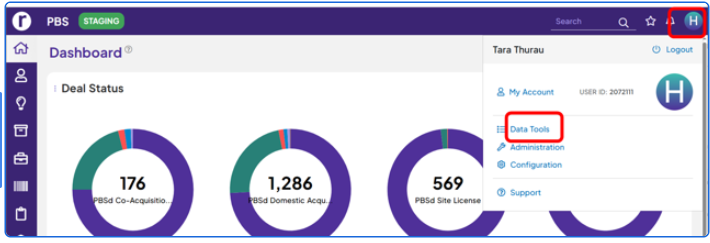 | ||
| 3 | Select Data Import.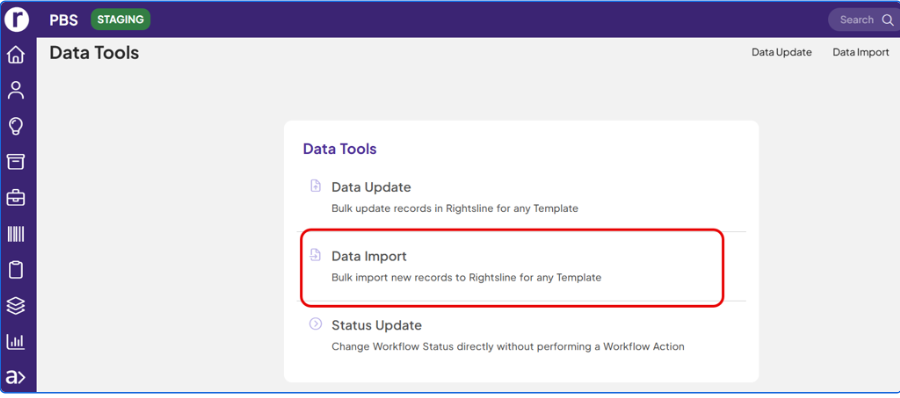 | ||
| 4 | Select Record Type.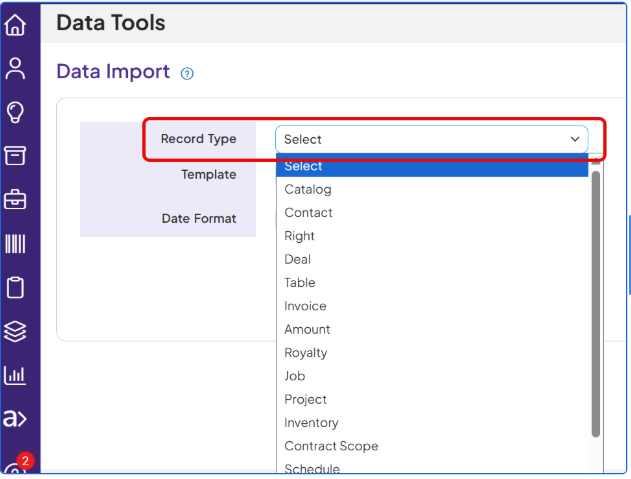 | ||
| 5 | Select Template.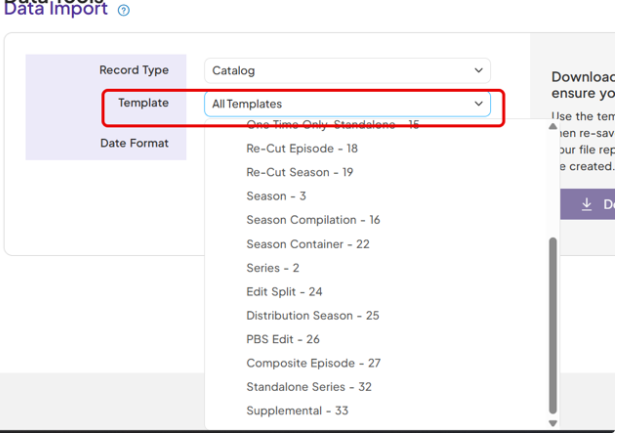 | ||
| 6 | Select 'Parent Record Type.'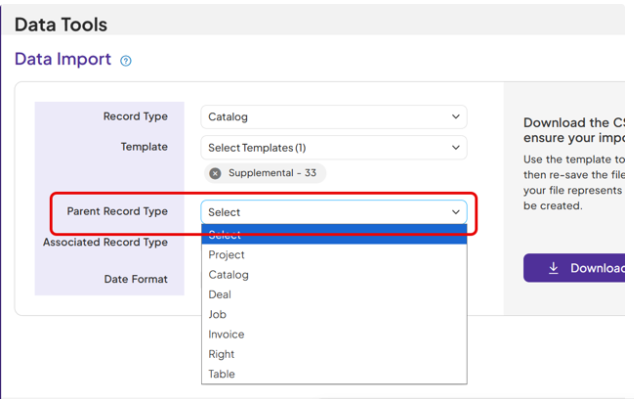 | ||
| 7 | Click 'Download CSV Template' button.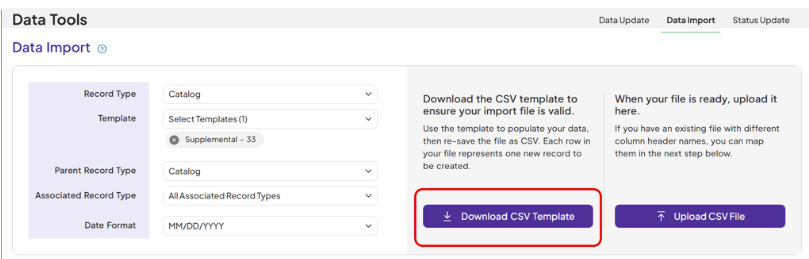 | ||
| 8 | Open the downloaded CSV Template in Excel.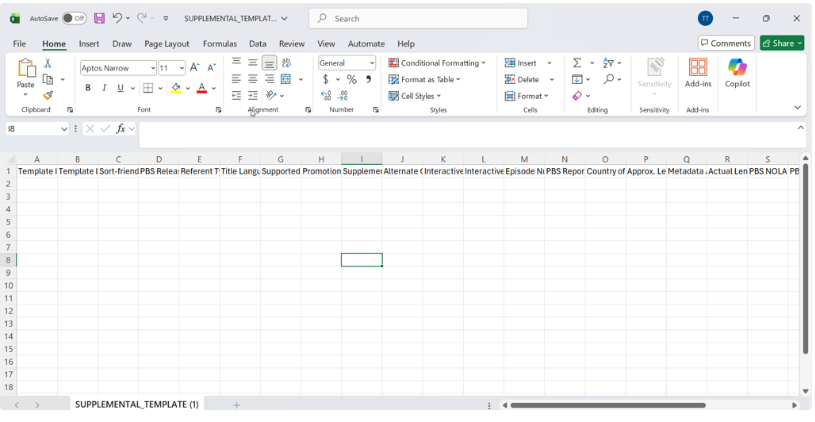 | ||
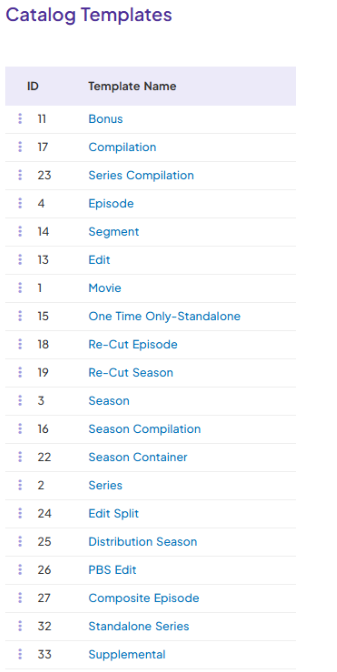
| 9 | Fill out the columns, making sure required fields are filled out. Only keep the columns with data field name that are being filled out. Use the following list for Template ID and Label Template ID = Template ID Template Label = Template Name
| ||
| 10 | Fill out the information and save the file.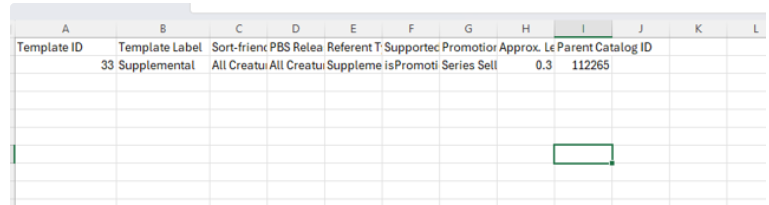 | ||
| 11 | Click on 'Upload CSV File' on the Data Update screen.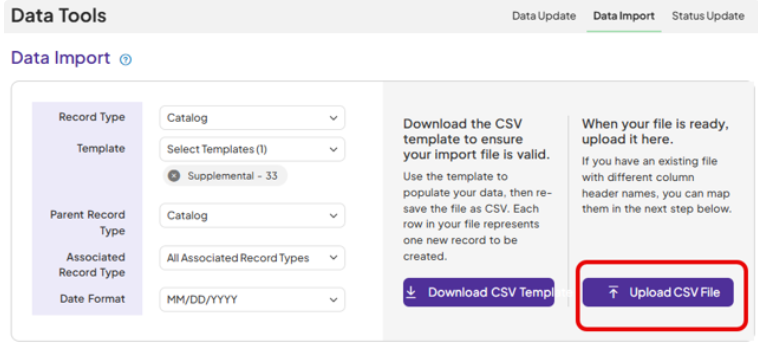 | ||
| 12 | Select the updated CSV Template File.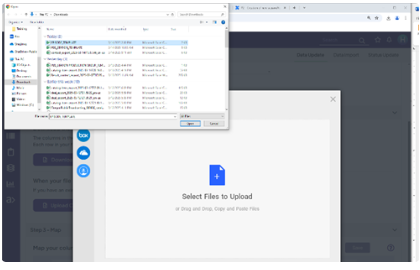 | ||
| 13. | Click on 'Upload.'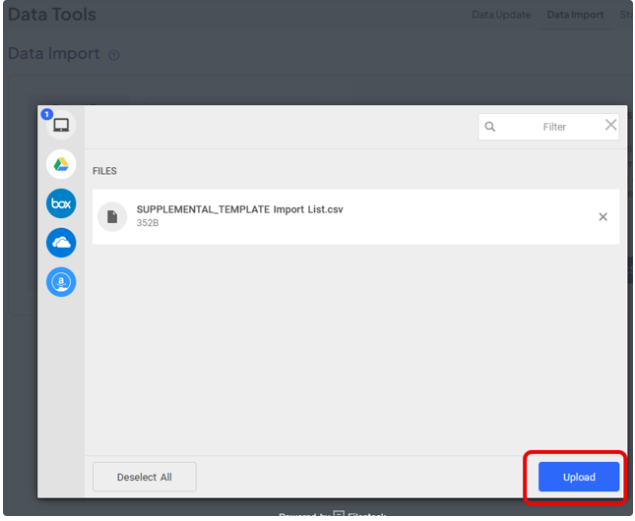 | ||
| 14. | Verify the column header and the Rightsline field mapping is correct. Click ‘Update’ button.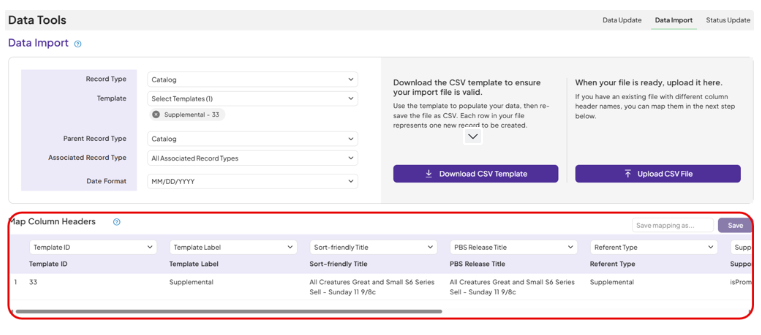 | ||
| 15. | Email is sent out from Rightsline with the summary of the record creation.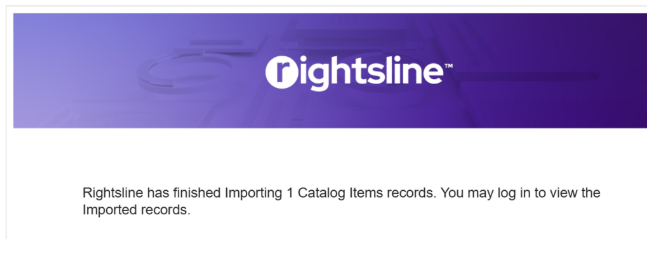 |